Technology
Create and Execute React Js App
Pre-requisites: Node Js (https://nodejs.org) ----------------------------------------------------------------------------------------------------------------------------- 1. Create a react app…
Pre-requisites:
Node Js (https://nodejs.org)
-----------------------------------------------------------------------------------------------------------------------------
1. Create a react app
C:\Your_Directory\>create-react-app <app_name_in_lowercase>
OR
C:\Your_Directory\> npx create-react-app <app_name_in_lowercase>
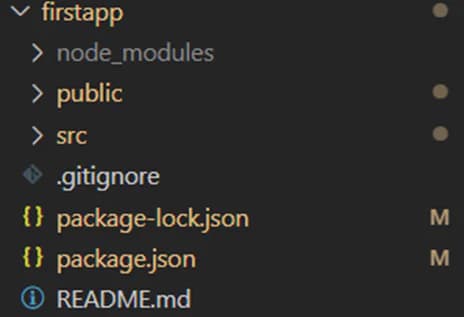
This will seed a react app for you. This react app consists of all dependencies and a project folder structure as shown in the screenshot below
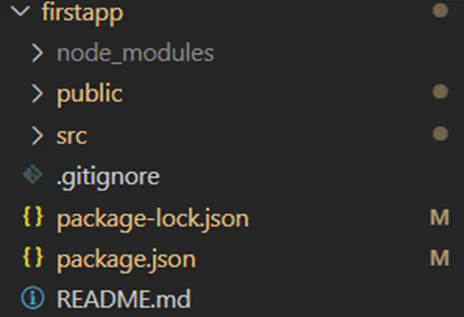
a. public: This folder contains all the files which can be shared with other files in this project such as images, json files etc
b. src: This folder is used for react js components and code development
c. node_modules: This works like the npm’s local registry
d. The files like .gitignore, package-lock.json, package.json are configuration files
a. .gitignore: This file contains all the files that should be ignored in case you wish to push your project to github
b. .package-lock.json, package.json: These files store the dependencies for the react app. In case the node_modules folder is deleted, it can be recovered if package.json is available. The command used to recover node_modules from package.json is
>npm install
2. Executing a react app
C:\Your_Directory\> > npm start
a. This hosts the react app on localhost at port 3000 by default
b. To pull down this hosted app press on the command prompt Ctrl+C
Originally published on Inspire Innovative Learning.
View the original article